
Release 0.3.0-draft.1 · Development standards
Charcoal provides depth, ivory provides clarity and cobalt carries emphasis. Colour is a set of jobs, not a requirement to use every swatch.
Digital colour roles
| Role | Value | Use |
|---|---|---|
| Charcoal | #101312 | Main dark field; primary ink on light |
| Surface | #1A1E1D | Quiet secondary dark panels |
| Ivory | #F1F0E9 | Primary text on dark; light document paper field |
| Muted | #A9AEA9 | Secondary text on dark, subject to actual contrast |
| Cobalt | #345AFF | Distinctive accent, action fill, material channels |
| Highlight | #A8B9FF | Display emphasis and links on dark |
| Focus | #91A5FF | Visible focus treatment on dark |
Start with roughly 70–90% neutral visual area and use cobalt deliberately for attention. This is a composition heuristic, not a quota or a pixel audit. Material images can contain broader cobalt areas when a separate reading field remains stable. A light document uses charcoal text on ivory or unprinted white; it does not become a new visual identity.
Muted grey is not a default body colour on light paper. Use charcoal for readable text. Cobalt is not a universal small-text link colour on dark; prefer highlight with a persistent non-colour cue. Keep status meanings separate from brand accents: an error needs a label/icon and action, not simply a red swatch. New semantic colours require contrast review and documented roles.
Pair-based checks
Test the rendered text/background pair, including gradients, transparency, hover, focus and disabled states. Use the applicable AA benchmarks: 4.5:1 for ordinary text; 3:1 for qualifying large text and required non-text UI boundaries. Large means at least 18 pt regular or 14 pt bold in WCAG terminology, not merely a design label called “large”. Decorative imagery and logo treatment require their own legibility judgement. A numerical contrast pass does not resolve weak hierarchy or tiny type.
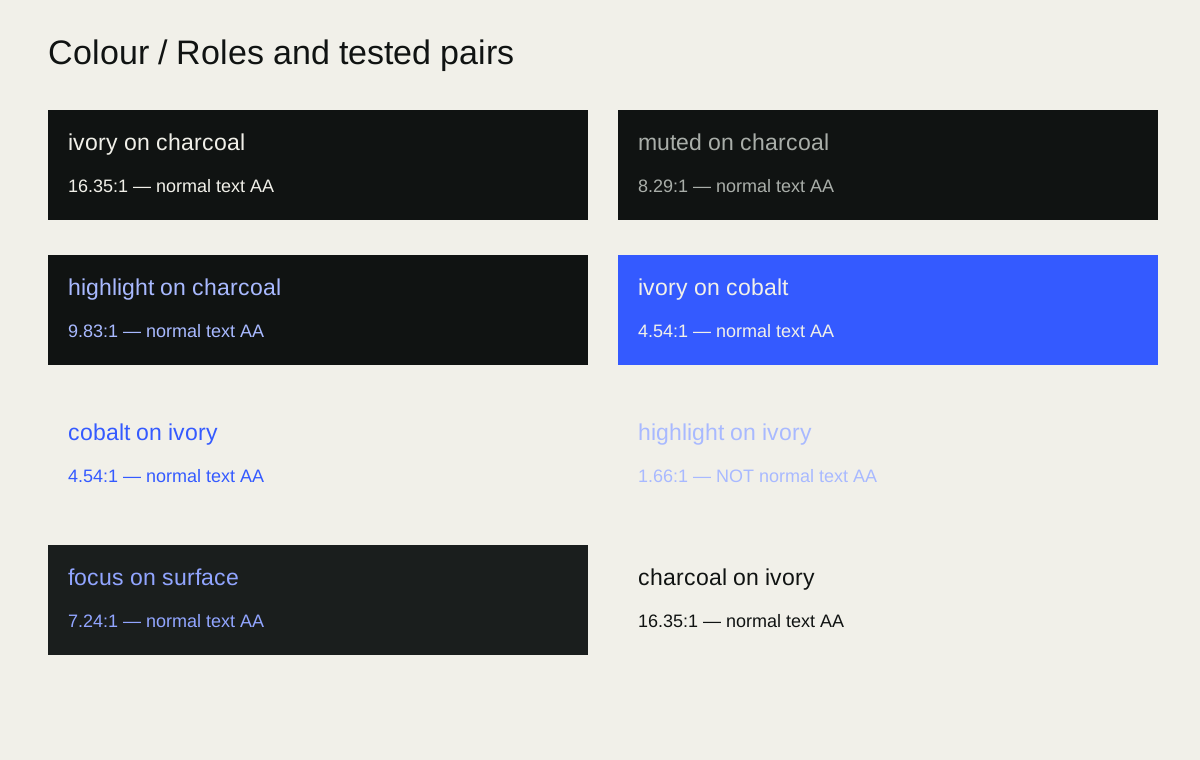
Reference solid-sRGB calculations: charcoal/ivory 16.35:1, muted/charcoal 8.29:1, highlight/charcoal 9.83:1, and focus/surface 7.24:1. Ivory/cobalt is 4.54:1, only narrowly above the ordinary-text threshold; do not weaken it with opacity or a lighter cobalt state. Highlight/ivory is 1.66:1 and fails for ordinary text. These pair calculations are not a complete accessibility test of a composition. See the contrast specimen.
For print, specify stock, process and colour profile with the supplier, then proof the conversion. There is no universal approved CMYK or Pantone equivalent in this release. Cobalt on screen is a reference appearance, not a promise of fluorescent print saturation.
Operating rules
COL-001 — Keep colour roles stable
- Do: Use the seven defined digital colours according to their roles.
- When: All identity applications
- Variation: Light reading surfaces and proportion changes within the same palette.
- Avoid: Returning to superseded terracotta, serif/lime direction palettes.
- Check: Compare values and semantic use with this chapter.
COL-002 — Check pairs, not swatches
- Do: Verify actual foreground/background contrast and non-colour status cues.
- When: Text, controls, charts and focus
- Variation: Adjust placement, backdrop or role to achieve readability.
- Avoid: Assuming a palette or image overlay automatically passes.
- Check: Record measured pairs at the worst visible state.
COL-003 — Separate print and screen colour
- Do: Use supplier-profiled conversions and a proof for print.
- When: Physical production
- Variation: Accept documented process-specific variation after review.
- Avoid: Invented universal CMYK/Pantone matches or untested neon promises.
- Check: Record profile, stock, process and approved sample.